
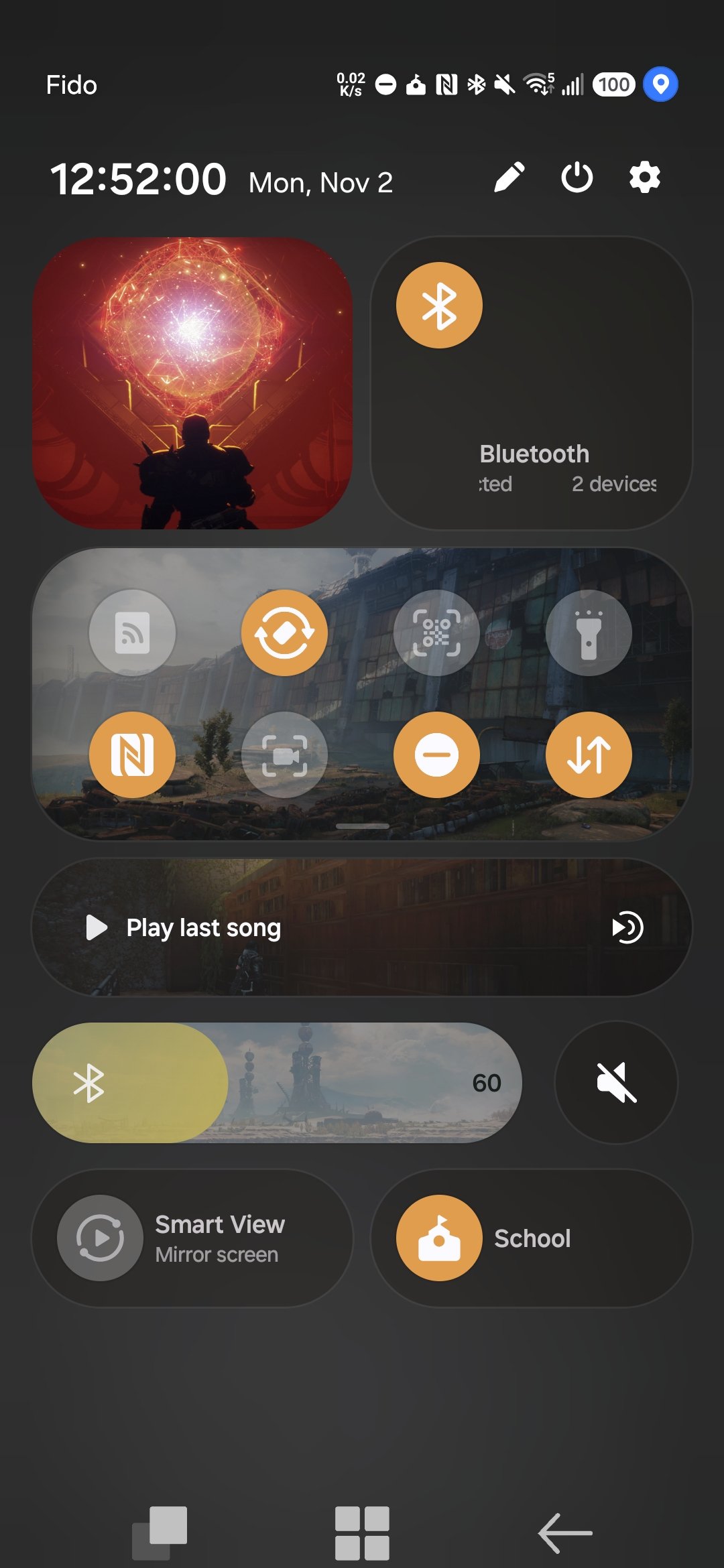
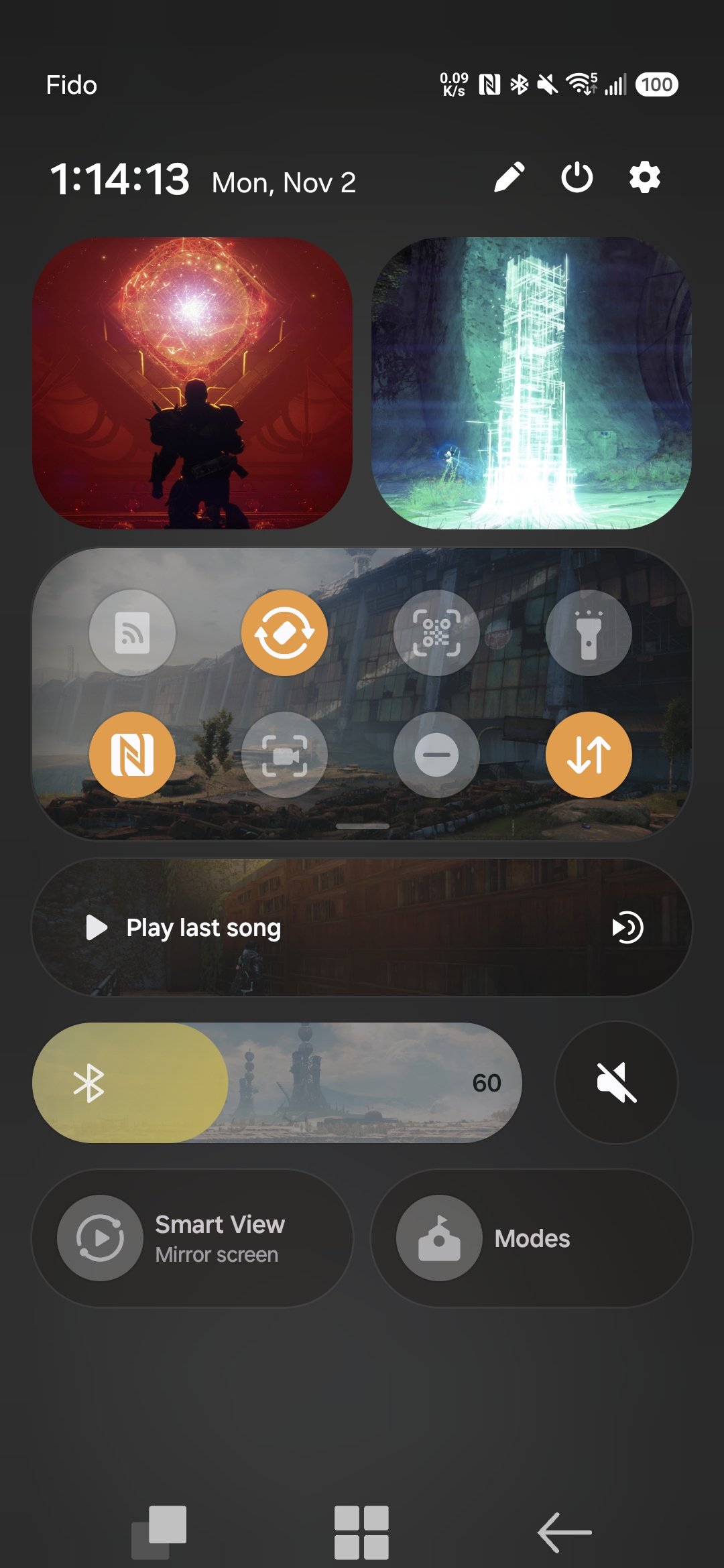
I tried adding custom images to buttons in the Quick Setting Panel and the button text and symbols disappeared. If I set custom images on all the buttons in my Quick Setting Panel, then all the buttons would become indistinguishable from each other. I'm not sure if this is a bug, but it would be nice if I could set the image to the background of the button instead of completely covering up the button text and symbol. See the screenshots to see what I'm experiencing. 🙂
My phone Info:
- Samsung Galaxy A56 5G
- OneUI 9 (Android 17)
- QuickStar 11.0.03.15
- GoodLock 3.0.16.6
The Bluetooth button text is legible and the symbol is visible. The Wi-Fi button text is not legible nor is the symbol visible.
Both the Wi-Fi and Bluetooth buttons text are not legible nor are their symbols visible.
No replies and comments found